Thursday, May 26, 2016

Itel It1508 Specifications


Itel It1508 Specifications:

HardwareTouchscreen Capacitive touchscreen

Display Size, Type 5", IPS

SIM Type Dual SIM

Processor & Chipset Quad core 1.2 GHz & MediaTek

GPU Mali 400 GPU

RAM 512 MB RAM

Internal Memory 8 GB

External Memory Expandable upto 32 GB (microSD)

Battery LI-Ion 2400 mAh

Colors Dark Blue, Champagne Gold

HOW TO REMOVE FRP {Factory Reset Protection} On All Samsung Device


HOW TO REMOVE FRP {Factory Reset Protection} On All Samsung Device Using Firmware
How to remove  frp Lock on sturborn samsung devices

I will show you how to remove, disable or bypass Google account on All Samsung with Samsung latest Security 2016, Using OTG USB


If you get the message :"This device was reset. To continue, sign in with a Google Account that was previously synced on this device.''
it's also called "Factory Reset Protection FRP" and it's different from "Samsung Reactivation Lock"

First you must flash with a firmware Older then Dec 2015 search that @ http://www.sammobile.com/firmwares
Because "Android security level 2015-12-01" can't bypass the Google account without flashing Old Firmware.

Requirement :


Older then Dec 2015 Odin software and OTG Usb
Firmware:  www.sammobile.com/firmwares
Odin    download
Bypass App download 

How to flash:
Extract the firmware....
Extract Odin
Open Odin v3.10.7

Reboot Phone in Download Mode (press and hold Home + Power + Volume Down buttons)
Connect phone and wait until you get conacted With Odin
Add the firmware file to AP / PDA
Make sure re-partition is NOT ticked
After flash Completed
Folow any of the below link to bypass

This method is 100% free and works with OTG cable! or usb
For this method you need a PC, internet connection, micro USB data cable,firmware
Learn how to bypass using otg cable here
Learn how to bypass using sidesyn here

Its Work on these phones with Android 5.1.1 latest Security 2016 inside:

Samsung Galaxy Grand Prime SM-G531H, SM-G531F, SM-G530FZ

Samsung Galaxy Core Prime VE SM-G361H

Samsung Galaxy J2 SM-J200F, SM-J200G, SM-J200GU, SM-J200H

Samsung Galaxy J3 SM-J320F

Samsung Galaxy J5 SM-J500F, SM-J500FN, SM-J500G, SM-J500H

Samsung Galaxy J7 SM-J700F, SM-J700H

Samsung Galaxy A8 SM-A800F

Samsung Galaxy S5 SM-G900F, SM-G900H, SM-G900FD

Samsung Galaxy S6 SM-G920F, SM-G920I, SM-G920T

Samsung Galaxy S6 EDGE SM-G925F, SM-G925I, SM-G925T

Samsung Galaxy S6 EDGE+ SM-G928F, SM-G928G, SM-G928I, G928G, G928T, SM-G928A

Samsung Galaxy Note 5 N920C, N920G, N920I, N920T

All more

Tuesday, May 24, 2016

HOW TO ACTIVATE MTN N500 FOR 2GB

Recently, Our Four major internet service provider ISP review there data plans,tariffs and many more. One of them which is MTN also take the leads by offering new cheap data plans and also have some cool and cheap tariff plan for making calls
.
HOW TO ACTIVATE MTN N500 FOR 1GB VALID FOR 15DAYS

1. First migrate to MTN pulse with *406*1# [Migration Is Free]
2. Dial *131*103# for the 2GB For N500.
3. Dial *131*4# to check your data balance

Tecno camon c9 probably come with dual front camera


Tecno camon c9 probably come with dual front camera
People are earnestly anticipating the release of the next flagship camera device from Tecno Mobile Nigeria. They have been inundated with lots of questions on when the next camon device will be released. If you could recall

Tecno Mobile launched the very first camon device last year which was tagged Camon C8. The device became an instant hit, out -selling most of the devices in the same price range. The huge sales recorded by the device was due to the amazing low–light performance of the camera. In fact the camera was so good that it was compared with that of the Iphone 6 and the word Camon is now a household name and many people are imagining what the next Camon device will look like
It seems that the wait is going to be over soon as we got what appears to be the image of next Camon device.
Talking about the Tecno Camon c9 T-band C9 T-band 


It can monitor your sleep pattern
Alert younon calls
You can take remote snapshot with it with just a click on your T band
Create a 10m connection between itself and your Camon c9 


Quick view of Tecno Camon C9 Specs.
Display
Screen size: 5.5-inch FHD IPS Touchscreen
Screen resolution: FHD { 1920 x 1080 pixels }
Pixel density: 267 ppi
Screen Protection : —

Operating System / CPU
OS: Android v6.0 Marshmallow
Processor Speed: 1.3 Ghz octa-core processor
HIOS V1.0

Memory
RAM: 2 GB RAM
Internal Storage: 16 GB expandable upto 128 GB, through an external microSD card

Camera
Front-facing Camera: 13 Mega Pixels with flash light
Rear / Back Camera: 13 Mega Pixels with AF camera with Flash light Geo-tagging, touch focus, face detection, HDR, panorama
Video: [email protected]

Network
Network: GPRS/EDGE//WCDMA/LTE
Band: GPRS/EDGE: 900/1800
WCDMA: 900/2100
LTE: Band3/7/20

Sensor: G-sensor, Light Sensor, Proximity Sensor, eye scanner to unlock your phone

Colour
Available colours: black, white, red

Battery
Batter Capacity: 3000 mAh
Fast charging capability

What's your take about this upcoming Tecno device?

HOW TO FLASH LG KDZ FIRMWARE WITH LG TOOL


No need to choose desired language, it automatically change to English as a default setting.

Guide How To Flash LG Stock Firmware KDZ With LG Flash Tool EXE Content Below:
Info:
Stock firmwares for LG devices are available KDZ (and repeatedly TOT) structure. That you could flash these firmwares making use of the LG Flashtool on a windows pc to either fix a gadget stock firmware or downgrade from an up-to-date liberate.

Under is a guide on tips on how to flash KDZ firmwares on LG instruments, comply with the recommendations carefully and to the factor.

Download LG Flashtool
Instructions Below Here:
Extract/Unzip the LG Flash Tool 2014 .zip file that you downloaded above on your PC. You’ll get a bunch of files required to run the program.
Double-click/Run LGFlashTool2014.exe file to Open LG Flash Tool.

NOTE: If it doesn’t open, install Visual C++ Runtime Library from here and then try again.
Boot your LG device into Download Mode:
Power off your LG device.
Press and hold Volume Up button.
Connect your device to PC with a USB cable while holding the Volume Up button.
You’ll boot into download mode with “Firmware Update” written on top of the screen.
Now load the .kdz firmware file into LG Flash Tool window on your PC. Click the browse button at the end of the “Select KDZ file” line. Leave every other option as is on the LG Flash Tool window.
Once you’ve selected .kdz firmware file, click “CSE Flash” button to proceed on flashing the .KDZ firmware to your LG device.

Screenshot below:


DOWNLOAD LG F200K STOCK ROM KDZ


Guide How to Flash And Download LG Optimus vu II F200K Phone Stock Firmware F200K30G_00


How To Flash Stock KDZ With LG Flash Tool Click Here
Download LG Optimus F200K Firmware


Phone Info:

LG Optimus VU ii F200 features
2G community, 3G community, 4G network, GPRS, edge supported
768 x 1024 pixels, 5.0 inches (~256 ppi pixel density) display
eight MP, 3264×2448 pixels, autofocus, LED flash digicam. Sure, 1.Three MP front camera
Android OS, v4.0.4 (Ice Cream Sandwich), upgradable to v4.1 (Jelly Bean)
twin-core 1.5 GHz Krait
2 GB RAM inbuilt memory
memory Card Supported, microSD, as much as 32 GB
WiFi, Bluetooth, USB, NFC, Infrared connectivity
Non-detachable Li-Ion 2150 mAh battery

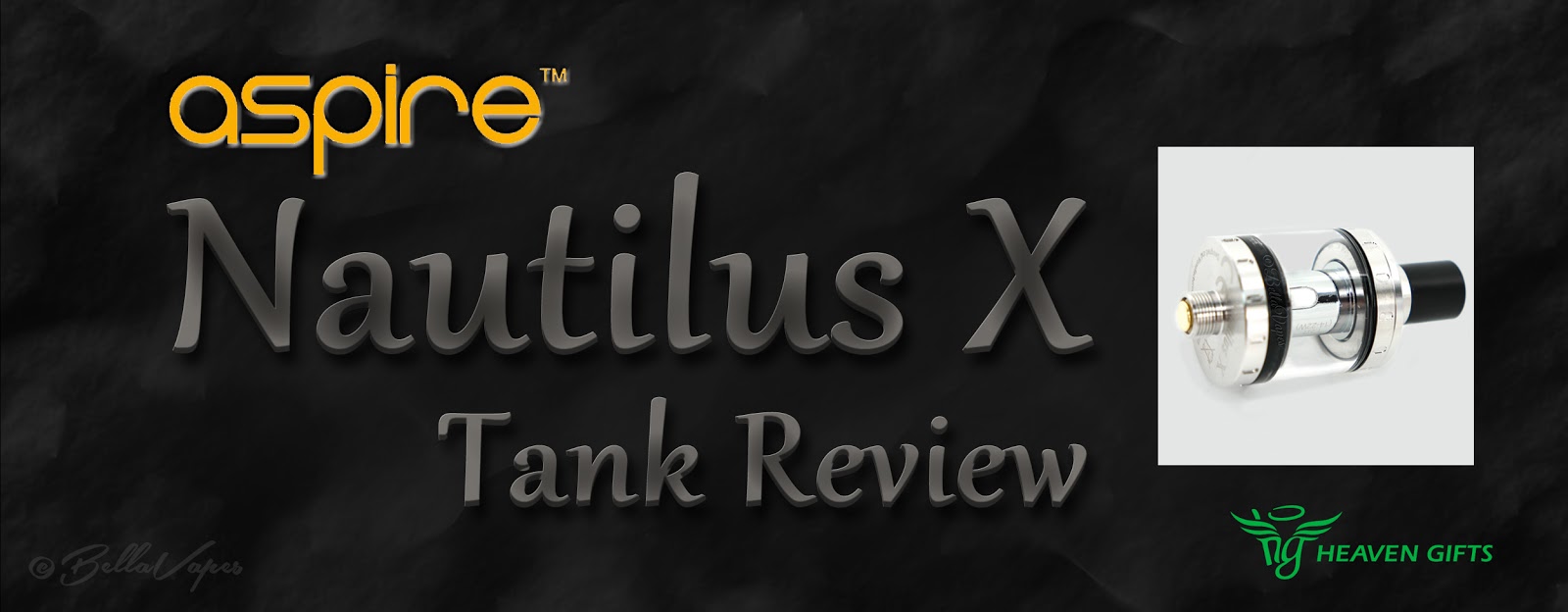
Aspire Nautilus X Tank Review

Today we will be taking a look at the new Nautilus X tank from Aspire. The Nautilus X is a tank designed with mouth to lung (MTL) vapers in mind. Featuring a new, innovative coil technology, top airflow, large juice holes and a 2ml capacity, Aspire has totally transformed the Nautilus.  The Nautilus X is nothing like the original.
Continue Reading »